Just as a well-designed circuit guarantees efficient power flow, understanding USB-C charging power stations reveals how they optimize device charging in various environments. These devices combine high-capacity batteries with sophisticated circuitry to deliver fast, safe power simultaneously to multiple devices. As technology advances, their features and capabilities evolve, making it crucial to grasp their core functions and benefits. Exploring their design and usage can markedly impact how we manage portable power needs—so, let’s examine what makes these stations vital.
Key Takeaways
- USB-C charging power stations are compact devices with high-capacity batteries and circuitry for efficient device charging.
- They utilize USB Power Delivery (PD) to provide variable voltage and current for fast, safe charging.
- Key features include multiple ports, high power output, safety protections, and portability for versatile use.
- They can be portable for travel or stationary for high-demand, multi-device charging setups.
- Proper selection, setup, and maintenance ensure optimal performance and device safety.
What Are USB-C Charging Power Stations and How Do They Work?
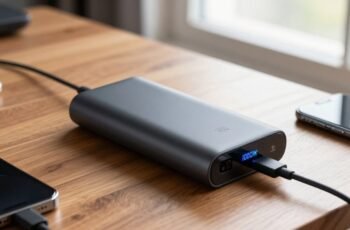
Although USB-C charging power stations are relatively new, they have quickly become essential for portable energy solutions. These devices function as compact power reservoirs, combining high-capacity batteries with advanced power management circuitry. They utilize USB-C Power Delivery (PD) technology to deliver variable voltage and current levels, enabling fast charging for a range of devices. The power station’s internal circuitry converts stored DC energy into regulated output, ensuring safe and efficient charging. Integrated circuitry monitors voltage, current, and temperature to prevent overloads and overheating. Connectivity options typically include multiple USB-C ports, sometimes alongside additional ports like USB-A or AC outlets. Overall, these stations provide reliable, portable power by efficiently transferring stored energy to connected devices through intelligent regulation and robust hardware design.
Key Features to Look for in a USB-C Power Station
When selecting a USB-C power station, we prioritize power output capacity to guarantee it meets our device charging needs efficiently. The number and variety of ports determine how many devices we can charge simultaneously, while port compatibility guarantees support for different device standards. Understanding these key features helps us choose a reliable, versatile charging solution.
Power Output Capacity
How much power does a USB-C charging station need to deliver to meet your device demands? It depends on your device’s power requirements and usage patterns. For smartphones, a station with 18-30W may suffice, but for laptops, 45W or higher is necessary. To guarantee compatibility and efficiency, consider the station’s maximum power output.
| Power Output (W) | Suitable Devices |
|---|---|
| 18-30 | Smartphones, small accessories |
| 30-45 | Tablets, mid-range laptops |
| 45-100 | High-performance laptops |
| 100-200 | Multiple devices simultaneously |
| Over 200 | Power-hungry professional gear |
Number of Ports
A USB-C power station’s number of ports directly impacts its versatility and ability to charge multiple devices simultaneously. More ports enable greater flexibility in managing various gadgets, reducing the need for multiple chargers. When selecting a power station, consider the following:
- The total number of USB-C ports available for simultaneous charging.
- The distribution of power capacity across all ports to ensure balanced charging.
- The presence of dedicated ports with higher wattage output for power-hungry devices.
Having multiple ports allows for efficient multi-device management, especially in environments where several peripherals require reliable power sources. Precise distribution of power and port availability are critical to optimizing device performance without compromising charging speed or safety.
Port Compatibility
Selecting a USB-C power station requires careful attention to port compatibility, as not all ports deliver the same performance or support the same features. Compatibility influences charging speed, data transfer, and device support. For maximum performance, verify that ports support standards like USB Power Delivery (USB PD) and Thunderbolt 3 or 4 if needed. Additionally, consider port types—some stations combine USB-C with other interfaces, affecting overall functionality.
| Feature | Impact |
|---|---|
| Power Delivery (PD) support | Enables fast charging for compatible devices |
| Thunderbolt support | Facilitates high-speed data transfer and power delivery |
| Port types | Compatibility with various devices |
| Max wattage per port | Determines charging speed and device compatibility |
Comparing Portable Versus Stationary USB-C Charging Hubs
While both portable and stationary USB-C charging hubs serve the essential function of providing power, their design and operational contexts markedly differ. Portable hubs prioritize mobility, featuring compact size, lightweight construction, and battery integration for on-the-go use. Stationary hubs, however, are designed for fixed installation, offering higher power capacities, multiple ports, and enhanced thermal management.
- Portable hubs emphasize size efficiency and battery autonomy, suitable for travel and remote work.
- Stationary hubs focus on maximum power output, device connectivity, and durability for constant, high-demand environments.
- Power delivery capabilities vary considerably, with stationary hubs often supporting higher wattages for charging multiple devices simultaneously.
Understanding these distinctions enables informed selection based on application-specific requirements and usage environments.
How to Choose the Best USB-C Power Station for Your Devices
Choosing the right USB-C power station requires evaluating your specific device needs, power requirements, and usage environment. First, assess the total wattage your devices demand, guaranteeing the station’s output can handle peak loads. Consider port configuration: prioritize stations with multiple USB-C ports that support Power Delivery (PD) for fast charging and data transfer capabilities. Examine compatibility with your devices’ charging protocols to prevent under- or over-voltage issues. Additionally, analyze the station’s build quality, safety features like overcurrent and short-circuit protection, and its thermal management to ensure reliable operation. If portability is essential, select models with compact form factors and lightweight design. Ultimately, matching your devices’ power profiles with the station’s specifications assures optimal performance, safety, and future-proofing for diverse charging needs.
Benefits of Using a USB-C Charging Power Station for Travel and Remote Work
As remote work and travel become more integral to modern lifestyles, using a USB-C charging power station offers significant advantages in maintaining productivity and device readiness. These stations enable efficient, simultaneous charging of multiple devices, reducing clutter and guaranteeing all equipment remains operational. Their high power delivery capabilities support fast charging, minimizing downtime. Additionally, their compact design enhances portability, making them ideal for on-the-go use.
- Supports multiple devices with high wattage output
- Reduces need for multiple chargers and cables
- Assures quick, reliable power delivery in remote settings
Common Mistakes to Avoid When Selecting a USB-C Power Station
Selecting the right USB-C power station requires careful consideration to guarantee compatibility and performance, but many overlook common pitfalls that can lead to inefficiencies or device damage. Key mistakes include ignoring power output specifications, mismatching voltage and current ratings, and neglecting port compatibility. To avoid these issues, focus on matching the station’s wattage to your device’s requirements and verifying port standards (e.g., USB Power Delivery, PPS).
| Mistake | Consequence | Prevention |
|---|---|---|
| Ignoring power output specs | Insufficient charging speed | Check device wattage requirements |
| Mismatched voltage/current | Potential device damage | Confirm compatibility with device |
| Overlooking port standards | Reduced functionality or damage | Verify port standards and capabilities |
Tips for Maximizing Charging Efficiency and Battery Life
To maximize charging efficiency, we should select power stations that support fast charging protocols compatible with our devices. Preventing overcharging damage involves using smart charging features that automatically stop power delivery once the battery reaches full capacity. Implementing these strategies guarantees peak performance and longevity of both the power station and connected devices.
Optimize Charging Speed
Optimizing charging speed with USB-C power stations involves understanding the interplay between power output, cable quality, and device compatibility. Ensuring maximum efficiency requires selecting a power station that delivers appropriate wattage for your device’s charging rate. High-quality cables with proper gauge and certification minimize resistance and voltage drops, enabling faster transfer. Compatibility between the power station’s power delivery protocol and the device’s charging standards is essential to prevent bottlenecks and optimize performance.
- Use cables rated for high wattage and certified for fast charging protocols
- Match power station wattage output with device specifications
- Keep firmware and device software updated for optimal protocol support
Prevent Overcharging Damage
While USB-C power stations are designed to safely charge devices, overcharging can still pose risks to battery longevity and overall performance. To prevent damage, it’s essential to monitor charging cycles and avoid leaving devices plugged in beyond full capacity. Many modern power stations incorporate intelligent charging algorithms that automatically cut off power once the battery reaches 100%, reducing overcharge risks. Additionally, using chargers with appropriate power ratings ensures that devices do not draw excessive current, which can accelerate degradation. Regularly updating device firmware and following manufacturer guidelines further enhance battery health. By managing charging durations, utilizing smart power stations, and adhering to best practices, we can considerably extend battery life and maintain peak device performance over time.
The Future of USB-C Power Stations: Trends and Innovations
As the demand for versatile and high-efficiency charging solutions grows, the future of USB-C power stations is poised to undergo significant advancements driven by emerging trends and innovations. We anticipate improvements in power delivery protocols, enabling higher wattage outputs and faster charging times. Additionally, integration of smart technology will allow adaptive power management, optimizing energy distribution based on device needs. Miniaturization of components will lead to more compact, portable designs without compromising performance.
- Increased wattage capacity for simultaneous high-power device charging
- Enhanced data transfer capabilities integrated with power delivery
- Advanced thermal management systems to improve safety and longevity
How to Set Up and Maintain Your USB-C Charging Power Station
Setting up and maintaining your USB-C charging power station requires careful attention to proper connection procedures and ongoing safety checks. Begin by verifying that all cables and adapters meet the device specifications and are rated for the intended power output. Connect the power supply to a grounded outlet, ensuring secure contact and proper polarity. Use high-quality, certified cables to prevent overheating and signal degradation. Regularly inspect connectors for signs of wear, corrosion, or damage, and replace any compromised components immediately. Maintain a clean environment to prevent dust buildup, which could impair connections. Periodically test the power station’s functionality using diagnostic tools to guarantee stable voltage and current delivery. Adhering to these procedures assures maximum performance and minimizes safety risks during operation.
Frequently Asked Questions
Can a USB-C Power Station Charge Multiple Devices Simultaneously?
Yes, a USB-C power station can charge multiple devices simultaneously if it has multiple USB-C ports or a combination of ports with sufficient total wattage. We guarantee proper power distribution to optimize charging efficiency for all connected devices.
What Safety Features Are Included in USB-C Charging Power Stations?
Think of safety features as the power station’s superhero cape—overcurrent protection, short-circuit prevention, temperature control, and device recognition safeguard all connected gadgets. We include these to guarantee safe, reliable charging amid technological chaos.
Are USB-C Power Stations Compatible With All USB-C Devices?
Yes, USB-C power stations are broadly compatible with most USB-C devices, supporting standardized power delivery protocols. However, compatibility may vary with specific device power requirements, so checking device specifications guarantees ideal performance and safety.
How Long Does It Take to Fully Charge a USB-C Power Station?
It typically takes 2 to 6 hours to fully charge a USB-C power station, depending on its capacity and input power. We recommend using a high-wattage charger for faster charging, ensuring peak performance and minimal downtime.
Can USB-C Power Stations Be Used With Solar Panels or Renewable Energy Sources?
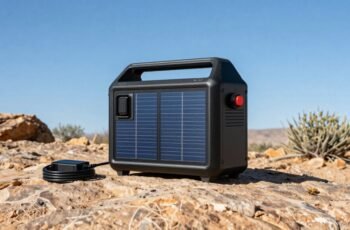
Absolutely, we can power USB-C stations with solar panels or renewable sources! These stations often feature compatible input ports, enabling efficient energy transfer, making sustainable, off-grid charging solutions not just possible, but highly practical and reliable.
Conclusion
In essence, USB-C charging power stations are the backbone of our device ecosystem, seamlessly integrating power with precision. They act as reliable command centers, orchestrating efficient energy flow across multiple gadgets. By selecting the right station, we guarantee our devices stay energized like a well-tuned engine. As technology advances, these stations will become even smarter, transforming chaos into order, and empowering us to stay connected with unwavering certainty and control.